
 Back to blog
Design
Hidden details of a transaction split
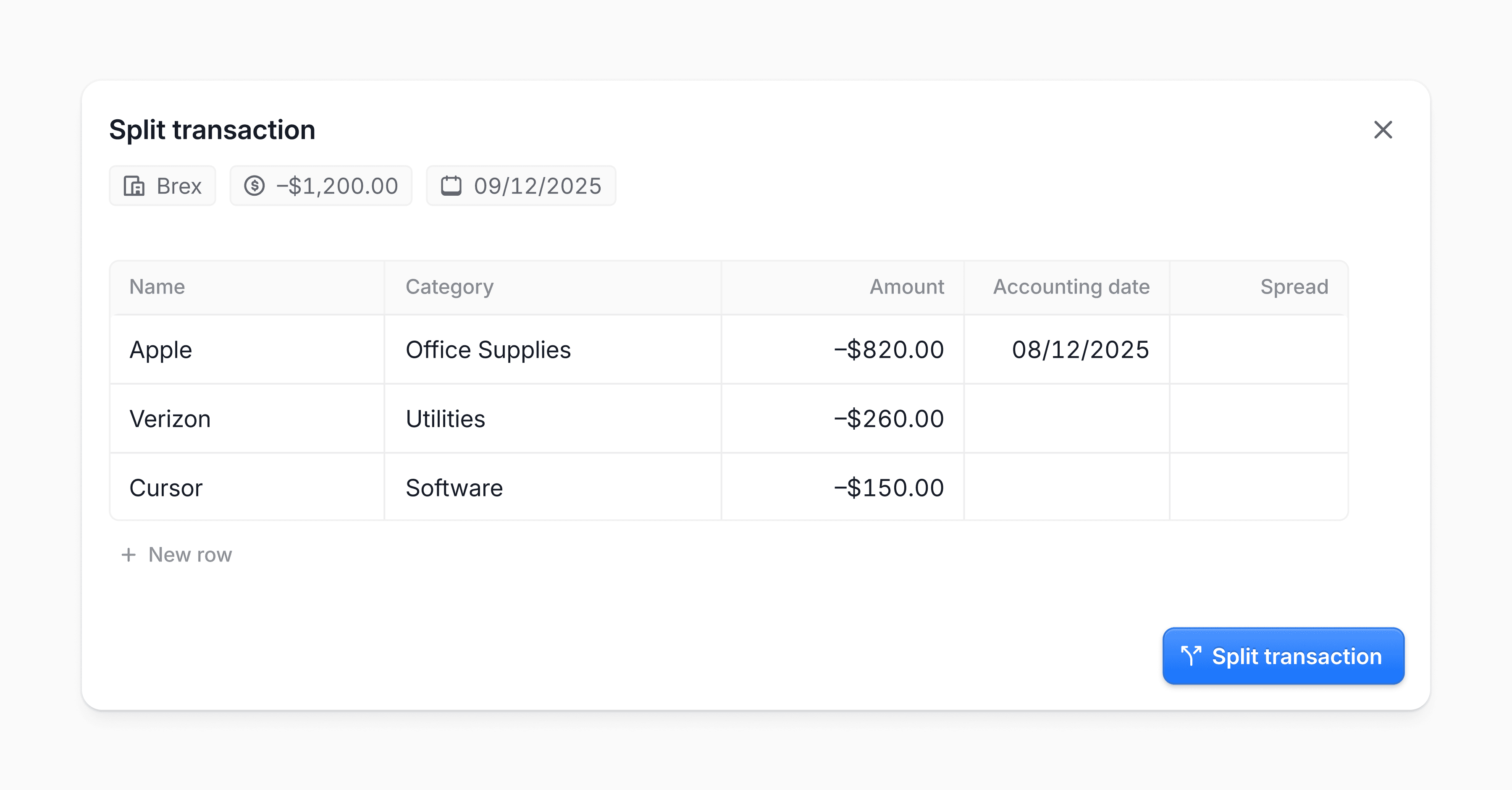
Sometimes one bank transaction covers more than one type of expense. Splitting it lets you track each part in the right category and keeps your books accurate. For example, a $100 purchase can be split into $40 for software and $60 for office supplies.
The old flow asked too much of the person doing the split. Amount entry was easy to get wrong, especially around negative values and the live difference calculation. Date and spread options also added extra decisions for a task that should stay lightweight.
Better editing (technically)
Our first version let people edit directly inside table cells. It felt fast, but it meant the product reacted to every keystroke. Temporary values could be treated as final, and each correction could trigger another update.
Now, clicking a cell opens a lightweight editor above it. People can type, search, and review the value before committing it by clicking away.
Amounts that match how people think
Expense transactions are stored as negative amounts, but that is not how most people enter them. If someone is splitting a $100 expense, they think 40 and 60, not –40 and –60.
We now start the input with the correct sign based on the original transaction, so people can focus on the number.
Backspace removes the sign when the field is otherwise empty, pressing - brings it back, and clearing the full value still preserves the expected sign for the next entry.
Calculating the remainder
A split must add back up to the original total. That often means entering one amount and manually calculating the next, which gets tedious with decimals.
We added a Remaining option for this. The next row can automatically use whatever is left. It removes mental math and reduces off-by-a-cent mistakes.
Dates built around the real job
Our first accounting date control offered suggested choices in a dropdown. Useful, but every edit started with reading options and mapping them to intent.
Most changes actually fall into two cases: move the transaction into the previous or next accounting month, or pick an exact date. So we designed for those paths directly. A stepper moves the date month by month, and the calendar remains there for exact selection.
Less visual noise
The table has both required and optional fields. Showing placeholder text everywhere made every row feel incomplete.
Now only required cells use placeholders. Optional cells stay quiet until edited, which reduces noise and makes real gaps easier to spot.
